Are you spending too much time creating effects in Photoshop?
PhotoTools 2.5 is the fastest way to add a professional look to your images.
- Includes hundreds of professional effects created by top photographers and Photoshop Hall-of-Famers.
- Stack multiple effects to create your own look, save as a preset and use in one-click from Photoshop, Lightroom or Aperture.
- NEW! MaskingBug and MaskingBrush makes selectively placing and blending multiple effects a snap.
Full version from: $159.95
Upgrade version price: $99.95
Upgrade Eligibility | Multi-User Discounts | Pro/Standard Editions Compared

PhotoTools 2.5 Professional is the fastest and easiest way to add a professional look to your photos in Photoshop. You get hundreds of professional-grade photographic effects, all wrapped up in an easy-to-use Photoshop plug-in making this the fastest and easiest way to make your photos stand out from the crowd.
The key to PhotoTools 2.5 Professional Edition is its unique ability to provide full-screen previews of an image effect before you apply it. PhotoTools 2.5 is like Legos for Photoshop. You can stack multiple effects on top of each other just like you would filters over a camera lens. You can then control the order of each effect and how they blend together for a truly unique look. You can even save your effect stacks for future use and share them with friends who have PhotoTools, or access them inside of Aperture and Lightroom to speed-up your workflow.
- Includes hundreds of professional effects created by top photographers and Photoshop Hall-of-Famers.
- Stack multiple effects to create your own look, save as a preset and use in one-click from Photoshop, Lightroom or Aperture.
- NEW! MaskingBug and MaskingBrush makes selectively placing and blending multiple effects a snap.
- NEW! Now supports 64-bit CS4 on Windows.
Why Upgrade?
See a larger view of the PhotoTools user interface.
“PhotoTools 2 is really easy to use and a useful part of my workflow. It is a powerful tool that gives you the freedom to present your best images. I know this will remain in my toolbox for a long time to come.”
Photographic Effects
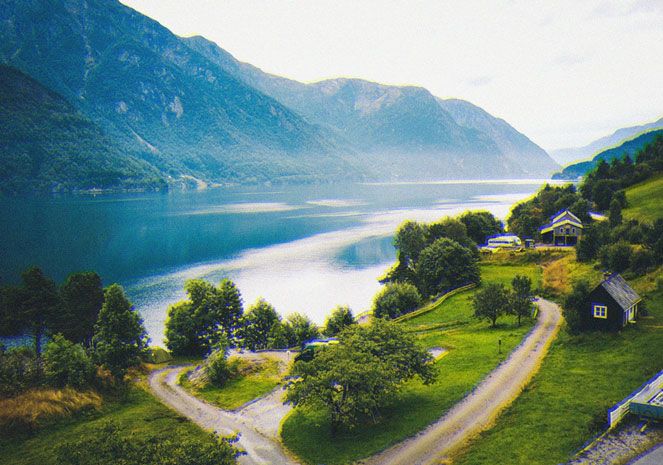
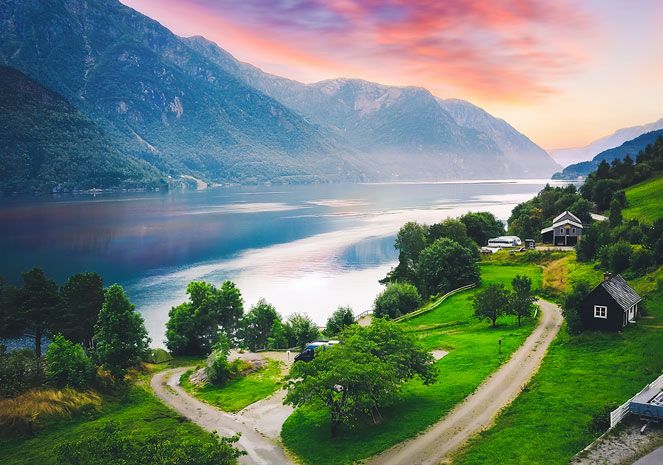
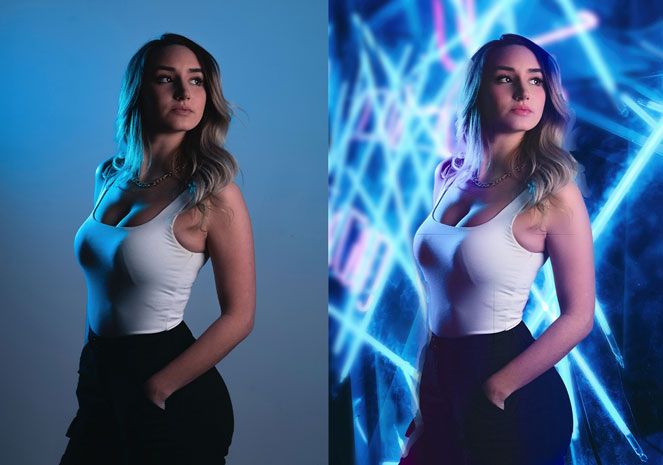
Designed by photographers for photographers, PhotoTools 2.5 includes over 200 professional effects from top wedding photographers and Photoshop Hall-of-Famers, and the Professional Edition adds over 100 more! The new PhotoTools 2.5 includes over two-dozen new creative effects to make your images standout. New effects include many that use the new MaskingBug like dynamic vignettes and graduated filters. Version 2.5 also includes a new collection of environmental effects that simulate rain, snow, fog, and even rainbows. You also get a new collection of overlay effects to create authentic vintage and grunge looks. These effects give your images the professional look in just a few clicks.
The range and scope of effects in PhotoTools is unbeatable. Here is a sampling of the categories of effects:
- Image Optimize: Color and tone corrections, improve shadow and highlight detail.
- Landscape Enhance: Enhance color and contrast, add sunlight, rain, snow, fog and rainbows.
- Portrait Enhance: Retouch portraits by automatically smoothing skin, enhancing eyes and whitening smiles.
- Black and White Treatments: Convert your images to black and white with all the control of the darkroom.
- Photo Filters: Add traditional filters like polarizer, warming, cooling, and color enhancing.
- Camera Tricks: Recreate in-camera techniques like lens pan and flare.
- Lighting Effects: It’s like a studio in a box. Add additional lights and shadows to a flat-lit image.
- Film & Darkroom: Try out different films, toners and darkroom techniques.
- Stylized Effects: Recreate the look of popular movies and effects used by wedding and commercial photographers.
- One-Click Art: Turn your image into a comic book or impressionist masterpiece in one click.
- Overlay Effects: Add an overlay to give your image that authentic vintage or grunge look.
Stack 'Em Up
The real power of PhotoTools 2.5 is its ability to stack multiple effects, just like using multiple filters over your camera lens. You can stack up to 16 effects on top of each other, creating your own unique look. You have complete control over the strength of each effect and can seamlessly blend them together, just like adjusting opacity in Photoshop. By stacking and combining effects, you can create an endless variety of custom effects and corrections.
PhotoTools 2.5 Professional Edition allows you to stack and combine multiple effects together so you can create your very own custom look.
Full Control
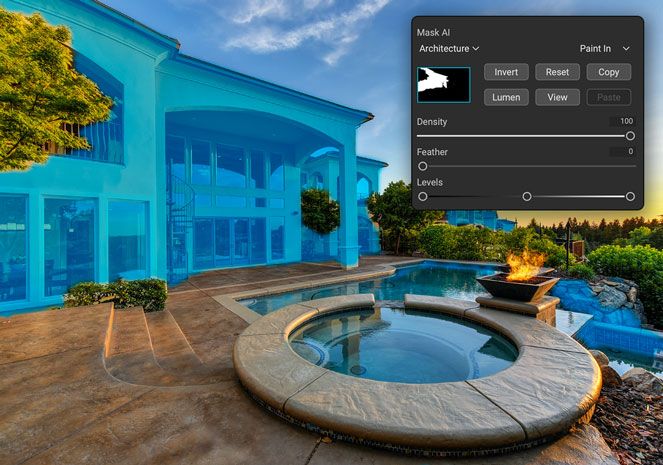
PhotoTools 2.5 gives you all the control you need when you add an effect. Many effects have options that control their color or look. Every effect's strength can be controlled with the fade slider from subtle to strong. You can also use the MaskingBrush to selectively apply effects. You can paint an effect in or protect an area from being effected. Now in PhotoTools 2.5 we have added the FocusBug style mask controls from FocalPoint as well. With this new control, dubbed the MaskingBug, you can position effects in round or square areas quickly to create vignettes or graduated effects.
onOne Panel
The new onOne Panel in Adobe Photoshop allows you to quickly launch PhotoTools without having to navigate through Photoshop's menus. But it takes that power even farther by giving you access to your favorite presets right from the panel as well. This will save time by allowing you to apply your most frequently used effects right inside of Photoshop.
Easy Access to the onOne Exchange
The onOne Exchange is a community website managed by onOne Software that enables users of PhotoTools 2.5 to download free presets for their own use. Presets are easily imported into PhotoTools 2.5 directly from the File menu. Users of PhotoTools 2.5 can also upload any presets that they have created to be shared with other PhotoTools 2.5 users on the onOne Exchange. Access to this is built directly into the PhotoTools 2.5 user interface.
PhotoTools Video Tutorials
View more PhotoTools videos
The PhotoTools training videos above are just the tip of the iceberg. We have over 100 product training videos covering the entire line of Photoshop plug-ins from onOne Software available for you to watch online for free.
PhotoTools User Guides
PhotoTools 2 in action
Seeing is believing. Here are several examples of PhotoTools 2 Professional Edition in action. See for yourself the difference that PhotoTools 2 Professional Edition makes in making digital photography easier, faster and better.
See an example of new effects in PhotoTools 2.
See an example of the image optimization effects.
See an example of the landscape enhance effects.
See an example of the portrait optimization effects.
See an example of the film and darkroom effects.
See an example of the stylized effects.
See an example of the overlay effects.
See an example of the photo filter effects.
See an example of the tinting treatments.
See an example of the black and white effects.
See an example of the color treatment effects.
See an example of the camera tricks effects.
See an example of the one click effects.
See an example of the edge treatment effects.
See an example of the frame treatment effects.
System Requirements
| Apple Mac OS X | Microsoft Windows | |
|---|---|---|
| Latest Version |
|
|
| Operating System |
|
|
| Computer Processor |
|
|
| Computer Memory |
|
|
| Display |
|
|
| Required Host Application |
|
|
| Optional Host Applications and Integration for Professional Editions |
|
|
| Other |
|
|
| Language |
|
|

Awards and Accolades

“What makes a great plug-in? Easy-to-use, effective and fun effects! "With PhotoTools 2 Professional Edition, I can combine any of the hundreds of artistic effects into my own preferred combo, thereby creating something unique to me that I quickly access from a simple menu. Awesome!”


“I've spent the last 20 years creating and teaching techniques and effects that strengthen, extend and accelerate the digital creative process. PhotoTools 2 is the culmination of that time and energy. The power of Photoshop - distilled for high octane, streamlined productivity! That's what you call WOW!”


“PhotoTools...perhaps the 'Swiss Army Knife' of Photoshop plug-ins. Well worth the investment.”