Genuine Fractals 6 Professional Edition: The Industry Standard for Enlarging Images

Have you had trouble enlarging images and been unhappy with the result?

Genuine Fractals 6 is the industry standard for resizing images.

  • Enlarge an image to any size or resolution you desire.
  • Maintain fine image detail and eliminate edge halos.
  • Crop and resize images in one easy step.

Full version from: $159.95

Upgrade version price: $99.95

Buy Now

Upgrade

Free Download

Upgrade Eligibility | Multi-User Discounts | Pro/Standard Editions Compared

Genuine Fractals 6 was, is and always will be the best solution for enlarging digital photos.

Genuine Fractals 6 Professional Edition Photoshop plugin is the industry standard for image resizing. It is renowned across the photographic and printing industries for its ability to increase image size well over 1000% without the loss of sharpness or detail that you would normally expect. Its patented, fractal based interpolation algorithms work like nothing else and the results speak for themselves.

Learn why Vincent Versace uses Genuine Fractals on all of his images.

Running time: 3:13

Genuine Fractals 6 Professional Edition is a must for any photographer who makes large format and poster sized prints. It is also great for graphic designers who want to end the everyday problem of receiving low-resolution images from clients for high-resolution print work such as magazine publications or tradeshow and billboard graphics.

  • Enlarge an image to any size or resolution you desire.
  • Maintain fine image detail and eliminate edge halos.
  • Crop and resize images in one easy step.
  • Maintain fine image detail.

Why Upgrade?

See the Top Reasons to Upgrade to Plug-In Suite 5.

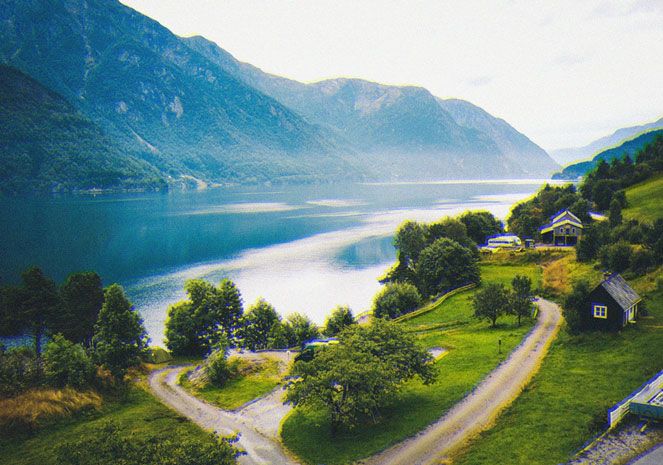
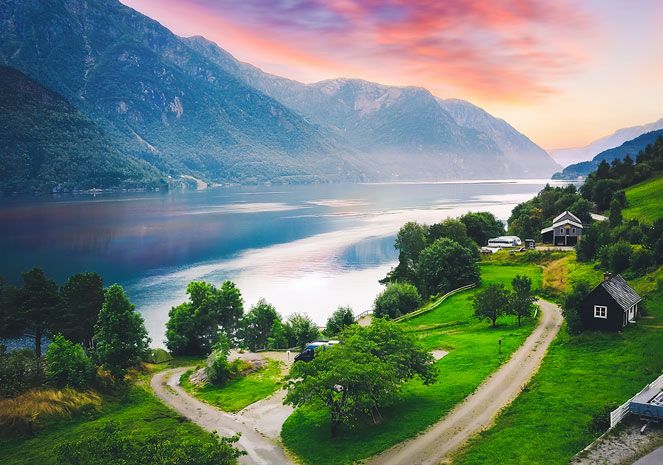
See a larger view. In this example, the results of Genuine Fractals 6 (on the left) are compared to the results from Photoshop's Bicubic Smoother (on the right).

“I went into this thinking Photoshop does a pretty good job of enlarging your images. And then I tried Genuine Fractals and I realized, there is no other way.”

Matt Kloskowski, Photoshop Guru and host of Photoshop User TV

New!Gallery Wrap Feature*

When making enlargements for canvas, it is common to wrap a portion of the image around the wooden stretcher bars, creating a gallery wrap. However, when wrapping an image in this way, important detail can be lost near the edges. The new Gallery Wrap feature in Genuine Fractals 6 Professional Edition automatically creates extended margins by reflecting or stretching the areas near the edge of the image allowing you to create a gallery wrap without sacrificing any of the original image.

New!Tiling Feature

Now you can get large format printing from a small format printer, quickly and easily. The new Tiling feature divides an enlargement into smaller pieces, preparing it for printing on a standard-sized printer. Just specify the paper size and overlap option and Genuine Fractals 6 will automatically resize the image and create individual tiles that are ready for printing.

New!Batch Processing*

New in Genuine Fractals 6 is an improved version of the onOne batch processing engine. This allows you to resize an entire folder of images to a consistent size and create up to two new versions of an image. You can control the size, resolution, file formats, name and location, color space, and even add a watermark logo.

New!Photoshop Lightroom* & Aperture Integration

Genuine Fractals 6 Professional Edition plugin can now be used inside of Lightroom and Apple Aperture, in addition to Adobe Photoshop.

New!Texture Presets

Genuine Fractals 6 now features texture presets for common image scenarios so even a novice user can get improved texture control results easily.

* Indicates Photoshop is required for this feature.

See the interface for Genuine Fractals 6.

Any Size, Made Easy

Have you ever tried making an 8x10 print from your digital camera file? You can't get it to fit that 8x10 size — it's either 8x12 or 7x10 — because most digital camera sensors are a different aspect ratio from common paper sizes. This forces you to crop your image to get it to fit a specific paper size, and it can be difficult to determine how to do this and whether to do it before or after you resize the image. Genuine Fractals comes to the rescue with over sixty built-in document size presets that allow you to precisely crop and resize your image in one simple step.

How large of an image can I get?

See image sizes achieved with Genuine Fractals 6.

Mouse-over the mega-pixel numbers at the top of this chart to view relative image sizes achieved with Genuine Fractals.

Reduces the size of big files

Another benefit of Genuine Fractals is its ability to compress an image losslessly. By saving your image in the STN file format that comes with Genuine Fractals, you can store your image in half the space it would normally occupy. And when you open this file you can specify the image size in which it will open. So rather than keeping several versions of your image for printing at different sizes, you can keep just one and open it to whatever size you need. It's resolution on demand!

Genuine Fractals 6 Professional & Standard Editions Compared

Compare Professional and Standard Editions.

Genuine Fractals 6 is available in two versions, Professional Edition and Standard Edition. Both editions offer you the same award-winning, patented image resizing algorithm that has made Genuine Fractals famous. The Professional Edition adds several new features that make it a must-have for professionals or serious amateurs.

These include Photoshop Lightroom* and Apple Aperture compatibility, support for CMYK color mode files, and the new Gallery Wrap feature for printing on canvas.

Genuine Fractals Video Tutorials

View more Genuine Fractals videos

The Genuine Fractals training videos above are just the tip of the iceberg. We have over 100 product training videos covering the entire line of Photoshop plug-ins from onOne Software available for you to watch online for free.

Genuine Fractals User Guides

View HTML  |  Download PDF

Genuine Fractals 6 in action

Seeing is believing. Here are several examples of Genuine Fractals 6 Professional Edition in action. See for yourself the difference that Genuine Fractals 6 Professional Edition makes in making digital photography easier, faster and better.

See how Genuine Fractals compares to Photoshop's Bicubic Smoother.

See how Genuine Fractals compares to Photoshop's Bicubic Smoother.

See how Genuine Fractals compares to Photoshop's Bicubic Smoother.

System Requirements

Apple Mac OS X Microsoft Windows
Latest Version
  • 6.0.4
  • 6.0.4
Operating System
  • Mac OS X 10.5 or 10.6
  • Windows XP (SP2) or later
  • Windows Vista SP2 or later
Computer Processor
  • 1GHz or faster PowerPC G5
  • 1GHz or faster Intel Processor
    Universal Binary. This product does not run on a PowerPC G4.
  • 1GHz or faster Pentium 4 or equivalent
Computer Memory
  • 1GB RAM (2GB+ recommended)
  • 250MB of hard drive space
  • 1GB RAM (2GB+ recommended)
  • 250MB of hard drive space
Required Host Application
  • Adobe Photoshop CS2, CS3 or CS4
    Adobe Photoshop CS2 not supported with OS X 10.6
  • Adobe Photoshop Elements 6 or 8
  • Adobe Photoshop CS2, CS3, or CS4
  • Adobe Photoshop Elements 6, 7 or 8
Optional Host Applications and Integration for Professional Editions
  • Adobe Photoshop Lightroom 2
    Integration with Adobe Photoshop Lightroom requires Adobe Photoshop CS2, CS3, or CS4
  • Apple Aperture 2.1
    Some of Aperture's output options require Adobe Photoshop CS2, CS3, or CS4
  • Adobe Photoshop Lightroom 2
    Integration with Adobe Photoshop Lightroom requires Adobe Photoshop CS2, CS3, or CS4
Other
  • 1024x768 (1280x800 recommended) or higher display
  • DVD Drive if installing from disk
  • Adobe Flash Player 9 or higher
  • Internet connection for auto-updates, activation, and video tutorials
  • 1024x768 (1280x800 recommended) or higher display
  • DVD Drive if installing from disk
  • Adobe Flash Player 9 or higher
  • Microsoft .NET 2.0 Framework or higher
  • Internet connection for auto-updates, activation, and video tutorials
Language

Genuine Fractals 6 was, is and always will be the best solution for enlarging digital photos.

Awards and Accolades

“I went into this thinking Photoshop does a pretty good job of enlarging your images. And then I tried Genuine Fractals and I realized, there is no other way.”

Matt Kloskowski
Photoshop Guru and host of Photoshop User TV

“The prints I made startled me. Any flaws that enlargement would ordinarily accentuate, such as camera blur or weak edges, were of course exaggerated by the degree of enlargement, as you might expect. But those artifacts and jaggies that I thought would occur due to over-enlargement, limitations assumed by file size, were simply not there.”

George Schaub
Shutterbug

“Genuine Fractals Professional 6 is now the standard that I base all other resizing tools against. The performance is very good, and more importantly, the results are outstanding. OnOne Software has done a great job with this upgrade, making it a worthwhile purchase for current or new users.”

Read full review »

Jon Canfield
PhotographyBlog.com

“Genuine Fractals just keeps getting better. It installs easily and really requires no learning curve to begin to use it. This new version of Genuine Fractals 6.0 represents a significant update of onOne's award-winning plug-in software. This version, while retaining the same powerful scaling capabilities, has enhanced its scaling engine and added more end user control for even more fine range image management than ever before.”

Read full review »

T. Michael Testi
Blog Critics Magazine

“Interpolation - the process of adding pixels to an image - should be handled with care. Using Photoshop's Image Size dialog... sometimes works, but quality can suffer. We got better results with Genuine Fractals.”

Read full review »

American Photo Magazine

“Genuine Fractals consistently delivers quality enlargements with ease and you don't have to be a pro to get pro results. And, yes, that's still BIG news.”

Zoom Street Magazine

“How well does Genuine Fractals work? I took a few photos, upsampled them using Genuine Fractals, and submitted them to two stock photography houses that don't accept upsampled images. (They've even rejected more than a dozen of my images that they suspected were upsampled.) My original images were 3002x2000 pixels and I scaled them up to 6004x4000 before submitting them. The stock photography houses evaluated the photos and accepted all of them.”

Dave Huss
Photoshop User Magazine