ON1 Resize AI
AI Image Resizer Software
New Version 2023.5 - Now Available

Image Resizer Software
The Industry Standard for Photo Enlargements
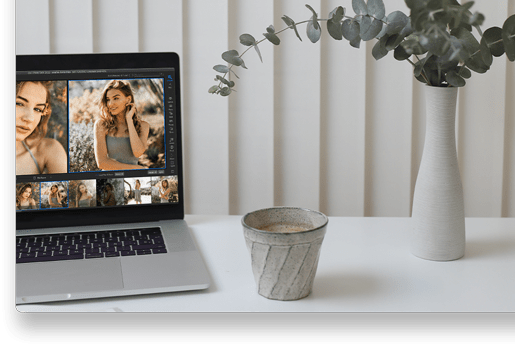
ON1 Resize AI, the next-generation AI image resizer, gives photographers the highest quality photo enlargements. This super-resolution photo resizer software will allow any photographer to enlarge photos while quickly maintaining and recovering incredible detail and sharpness.
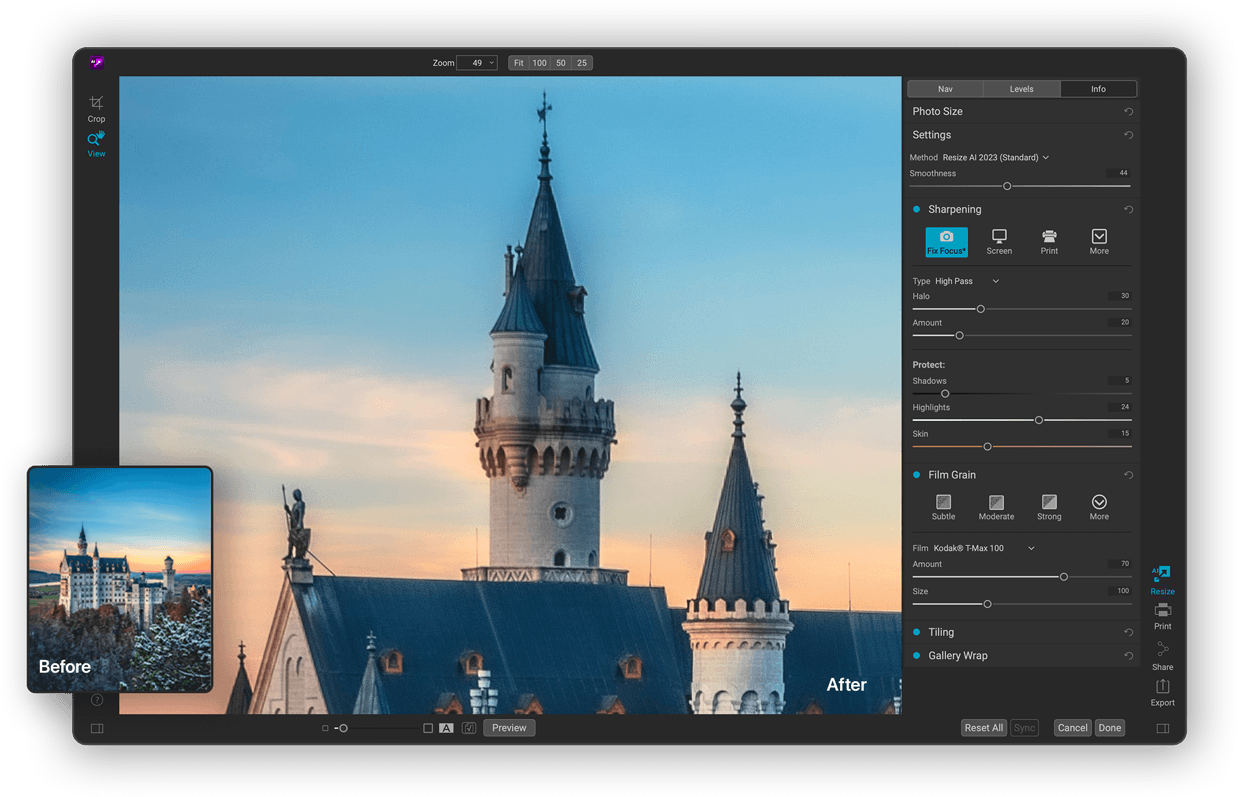
A Fully Integrated Photo Resizer Software in Photo RAW
ON1 Resize AI 2023.5 is Here!
See What's New in Our Latest Update to Resize AIFace Recovery
In 2023.5, we're adding a machine-learning model that detects small faces and enhances them with realistic detail. It's perfect for old group photos or when you must crop one person out of a photo.



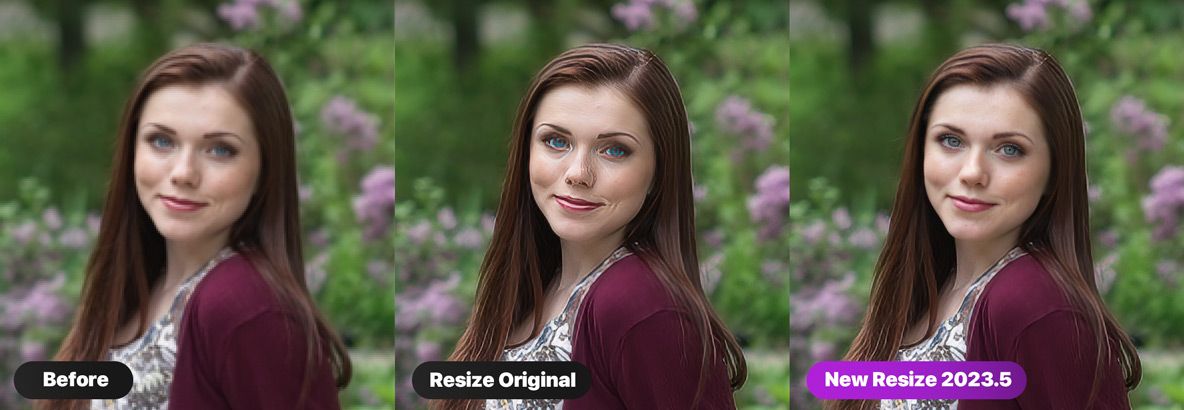
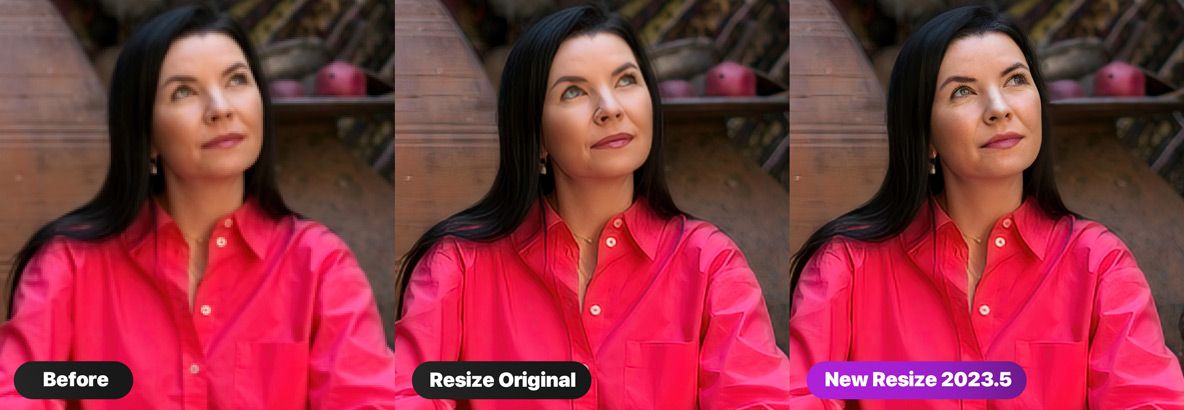
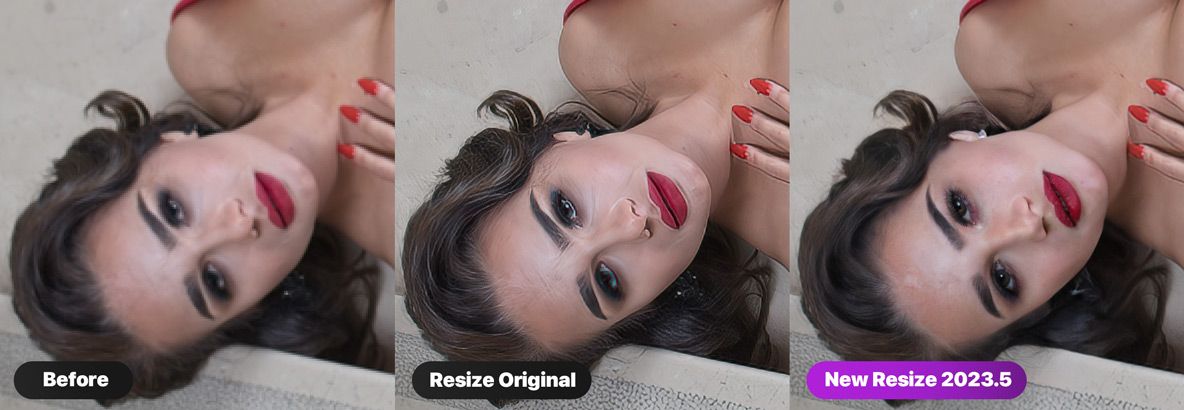
Our photo resizer software can virtually reconstruct a face from modest details to realistic features and textures. You can turn this feature on or off for each face as well as control the overall strength to blend best with the original photo.
ON1 Customers ON1 Resize AI 2023.5
“Just tried out the ON1 resize face recovery feature. I only tried it on one image so far and I have to say I have never seen anything like this. And I have tried every AI ‘face recovery’ app on the market. Really incredible. Beyond extraordinary. Jaw dropping. I literally can’t believe the results!”
— Lorne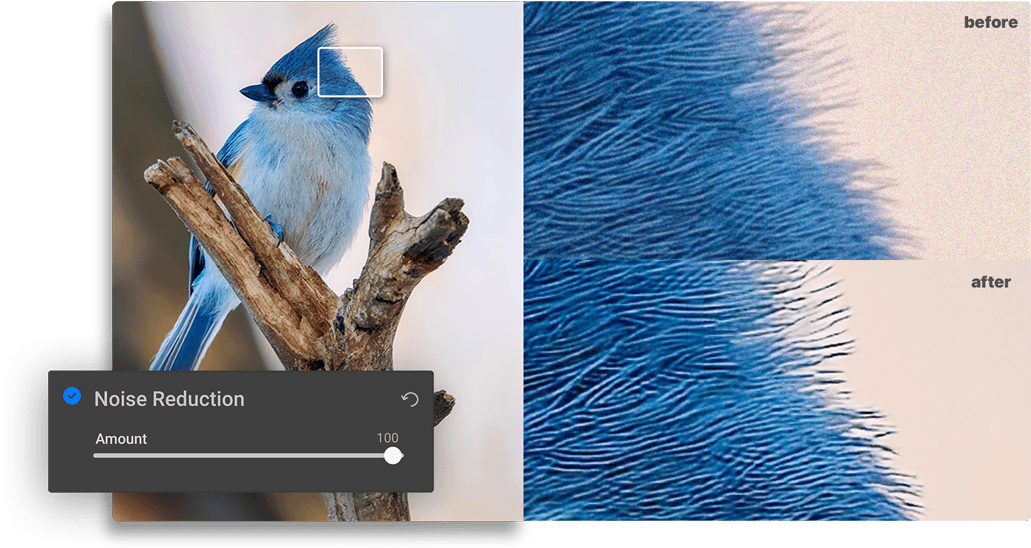 Available in 2023.5
Better Upscaling Results
For original photos with high noise or JPG artifacts, you can now use the built-in noise reduction, powered by NoNoise AI, to reduce the noise and artifacts as part of the resizing workflow, leading to higher quality enlargements.
How Our Photo Resizer Software Stands Out
- ON1 Resize AI uses state-of-art neural networks to enlarge photos without losing detail
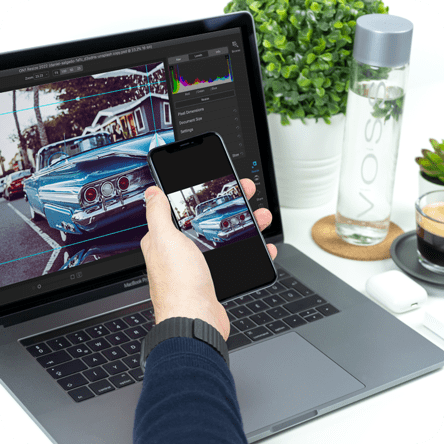
- The ultimate workflow integration – ON1 Resize AI goes beyond the average plugins when it comes to integration with the host applications
- Print directly from the app – ON1 Resize AI excels at making stunning poster-sized prints
- Powerful batch processing lets you get work done in record time
- Unique tiling and gallery wrap features

Tools for Printing Big
Photo enlargement software should deliver the highest quality photo prints. ON1 Resize AI excels at making prints using state-of-the-art technology. You can enlarge your images to any size and not lose sharpness or details in your prints.
Create Gallery Wraps
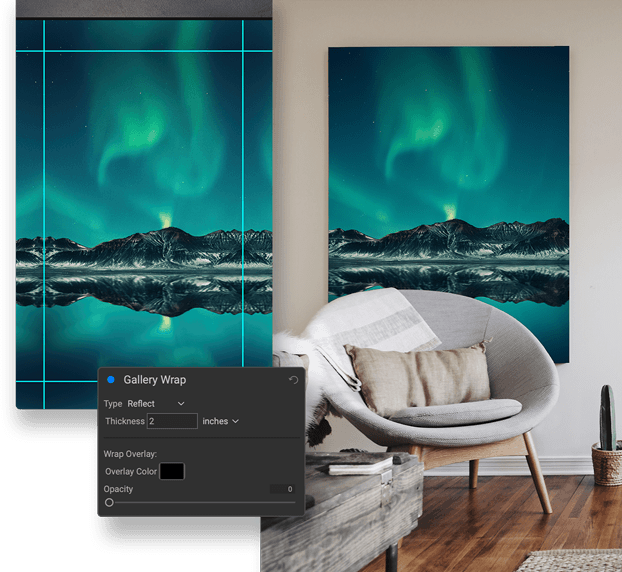
The gallery wrap feature creates extended margins for wrapping your photo around wooden stretcher bars for canvas prints.
Tiling Feature
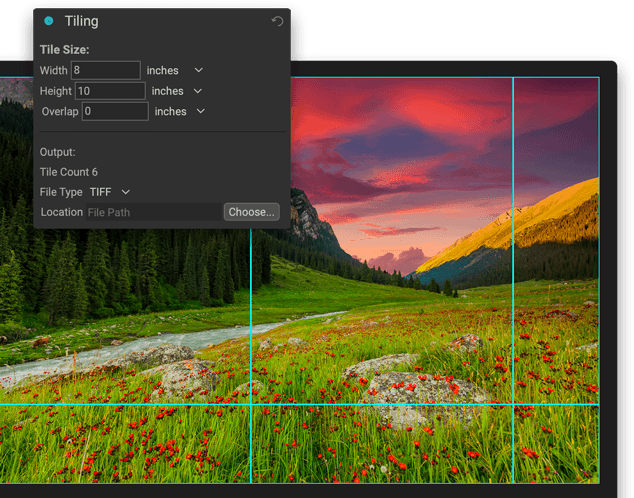
The tiling feature divides the photo into tiles or strips to make it easier to print a mural.
Get Beautiful Prints Every Time with Our AI Image Resizer
Print individual photos, contact sheets, a wall portrait, or tile multiple photos into package prints. Also, print multiple photos on one piece of paper to create packages.
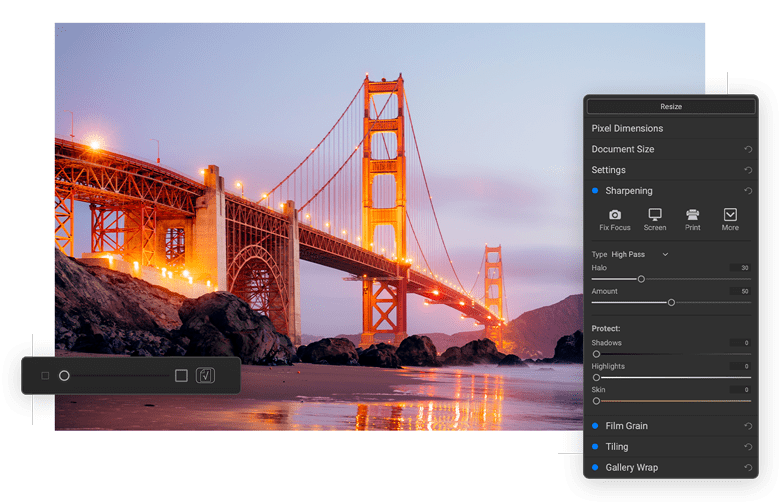
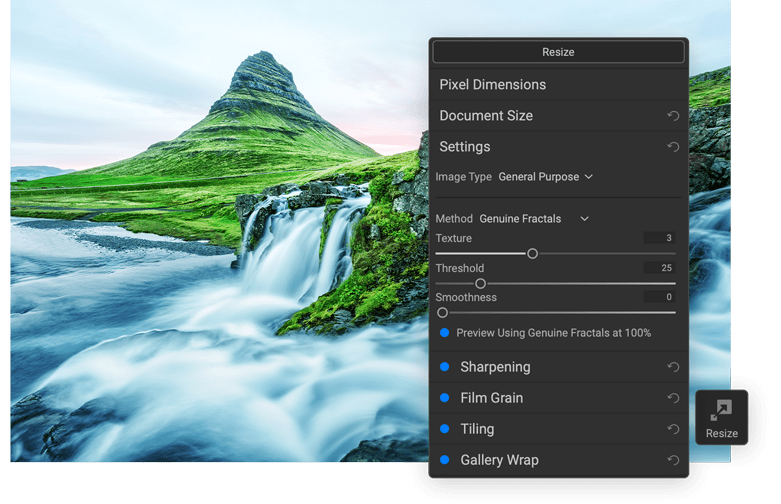
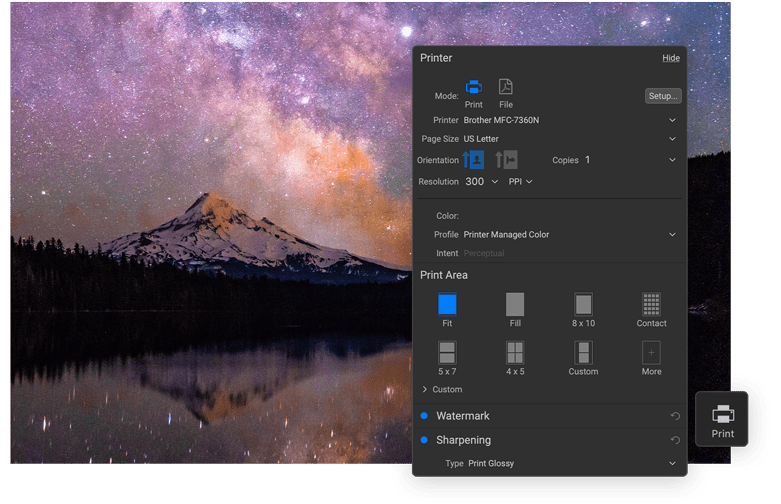
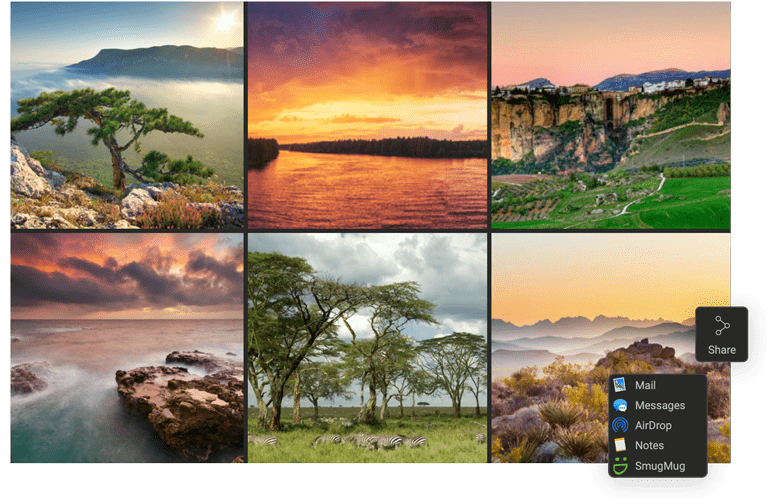
The export feature in ON1 Resize AI makes it easy to process a single photo, a handful or hundreds of them. Not only can you control the size, but the file type, naming, location, etc. You can even apply gallery wrap or watermarks on the fly.
Studying millions of examples of the everyday world allows ON1 Resize AI to upscale photos and their textures to virtually any size, leaving photographers with ultra-high resolution images.
Amazing Detail
Perfectly Sharp
Maintain Textures
No Artifacts
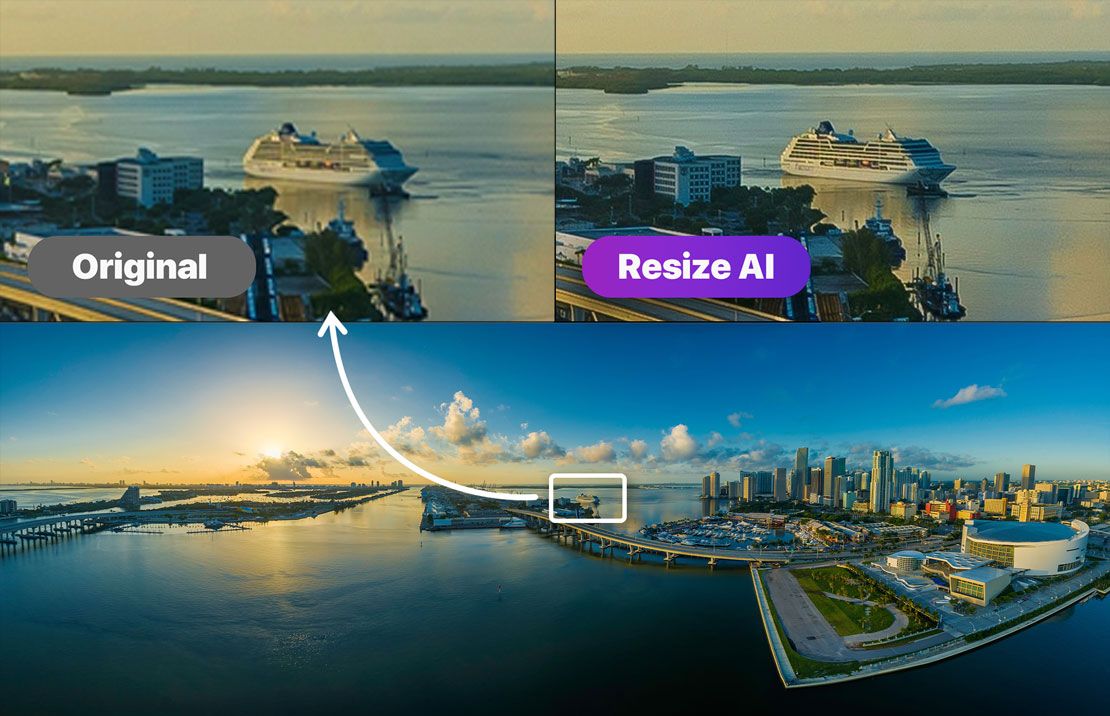
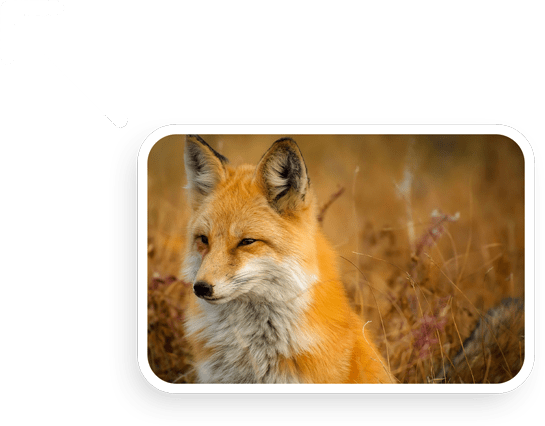
ON1 Resize AI uses deep machine learning to study different details we see in the world, whether natural textures like animal fur, tree bark, feathers, grass, leaves, rock, and skin to man-made textures like concrete, fabric, or brick.
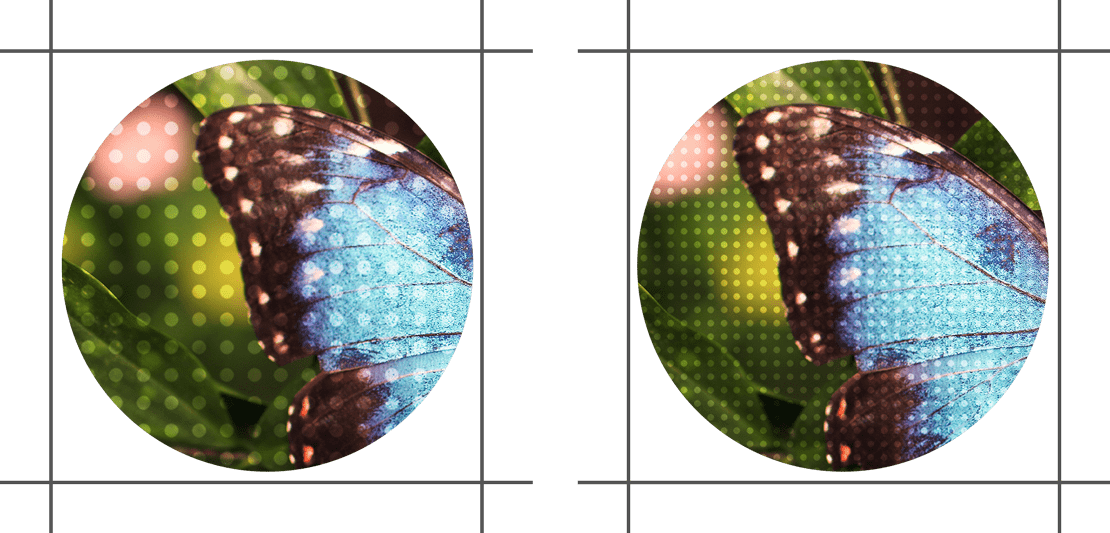
When it comes to preparing your photo to print, knowing the proper resolution for your printer and the correct amount of sharpening for your paper choice can be daunting. ON1 Resize AI's built-in presets make this a breeze. Simply pick the kind of printer, the type of paper, and the size.
Our Image Resizer Software Works as a Plugin
for Adobe Lightroom, Photoshop, and Capture OneResize AI goes beyond the average plugins. In Capture One and Lightroom, you can batch process easily with powerful new resizing options. Adobe Photoshop can handle layered files with masks, alpha channels, text, and adjustment layers in RGB, CMYK, Grayscale, and LAB.
Resize AI 2023.5 Requirements
| Operating System | macOS 10.15.6 and above Windows 10, 11 (current maintenance releases, 64 bit only) | |
| Processor | Intel® or AMD processor with 64-bit support; 2 GHz or faster processor with SSE 4.2 or later or Apple Silicon | |
| RAM | 8 GB | |
| Hard Drive | 2 GB for installation | |
| Graphics | Windows - DirectX 12, DirectML, Vulkan 1.1, and OpenGL 4.2 compatible video card with 2GB VRAM, 1920x1080 resolution (at 100% scale factor) macOS - Metal, Vulkan 1.1, and OpenGL 4.2 compatible video card with 2GB VRAM, 1920x1080 resolution (at 100% scale factor) | |
| Optional Integration | Photoshop CC 2020 and above Photoshop Elements 2020 and above Photoshop Lightroom Classic 2020 and above Capture One 10 and above | |
| Internet | A high-speed internet connection and active account for activation, auto-update checking, content downloads, and tutorials. | |
| Supported Options | Supports pressure-sensitive tablets for controlling brush size and/or opacity Supports ICC/ICM profiles for camera input, display, soft-proofing, and printing. Hardware display calibration tool is recommended | |
| Supported Languages | English, German, Spanish, French, Japanese, Korean, Simplified Chinese, Russian, Portuguese, Italian, Dutch | |
Buy or Subscribe Today!Buy and own ON1 Resize AI 2023.5 outright, or subscribe for all current and future ON1 apps and first-class benefits. ON1 Photo RAW 2024.3 includes Resize AI built-in and all other apps in a single editor. The MAX Edition works as a plugin or standalone app.
Choose How You Want to Buy ON1 Resize AI:

ON1 Resize AI 2023.5
Works as a standalone app or plugin.
On Sale!
On Sale!
FullFor New Customers
UpgradeFor ON1 Owners
Includes all ON1 Resize AI 2023 version updates and activation on 2 computers

ON1 Photo RAW MAX 2024.3 + Creative Bundle
Own it. Works as a standalone app or plugin.
On Sale!
On Sale!
FullFor New Customers
UpgradeFor ON1 Owners
Includes all v2024 updates and activation on 3 computers.

ON1 Photo RAW 2024.3 + Creative Bundle
Own it. Works as a standalone app.
On Sale!
On Sale!
FullFor New Customers
UpgradeFor ON1 Owners
Includes all v2024 updates and activation on 2 computers.
Best Value

ON1 Everything Plus
Subscription
On Sale!
Prepaid YearlyBest Value
Billed MonthlyMost Flexible
Includes all major version updates, all major future upgrades, new apps, & activation on 5 computers
What's Included:

ON1 Photo RAW MAX 2024.3

ON1 Plugins & Standalones

ON1 Cloud Sync - 1 TB

ON1 Plus Membership

ON1 Everything
Subscription
On Sale!
Prepaid YearlyBest Value
Billed MonthlyMost Flexible
Includes all major version updates, all major future upgrades, new apps, & activation on 2 computers
What's Included:
ON1 Photo RAW MAX 2024.3
ON1 Plugins & Standalones
ON1 Cloud Sync - 200 GB
| ON1 Everything Plus Subscription | ON1 Everything Subscription | ON1 Photo RAW MAX Own It Outright | ON1 Photo RAW Own It Outright | |
|---|---|---|---|---|
ON1 Photo RAW 2024.3 Fully integrated ON1 apps inside Photo RAW: Browse, Develop, Effects, Resize AI, NoNoise AI, Portrait AI, HDR, Sky Swap AI + Tons of New Features! | ||||
ON1 Photo RAW MAX 2024.3 With the MAX version, you can use Photo RAW and each of its features (Develop, Effects, NoNoise AI, Resize AI, Portrait AI, HDR) as plugins for Lightroom, Photoshop, Capture One, Affinity, and Apple Photos | ||||
ON1 Individual Plugin & Standalone Apps For launching ON1 from Lightroom, Photoshop, etc. Includes Sky Swap AI, Resize AI, Effects, NoNoise AI, Portrait AI, and HDR | Add-On | Add-On | ||
All Future Major Upgrades to Photo RAW & Individual Apps Get every major upgrade in the future for all ON1 apps | ||||
All Future New ON1 Software Products Any new ON1 app released is included | ||||
ON1 Cloud Sync Storage Connect your photos in ON1 Photo RAW on Desktop to Mobile devices | 1 TB storage | 200 GB storage | 200 GB storage | |
ON1 Plus Membership Full Access to all ON1 Plus Content–Video Library, Creative Library, Video Courses, Loyalty Rewards, and more | Add-On | Add-On | Add-On | |
Software Activations Activations for each title on macOS and Windows | 5 | 2 | 3 | 2 |
30 Day Money-Back Guarantee Love it or get your money back, no questions asked |



ON1 Photo RAW - Version 2024.3
Fully integrated ON1 apps inside Photo RAW: Browse, Develop, Effects, Resize AI, NoNoise AI, Portrait AI, HDR, Sky Swap AI, + Tons of New Features!
ON1 Photo RAW MAX - Version 2024.3
With the MAX edition, you can launch Photo RAW and each feature as a plugin from inside Photoshop, Lightroom, Apple Photos, Affinity, and others. Plugin functionality includes Develop, Effects, NoNoise AI, Resize AI, Portrait AI, and HDR.

ON1 Plugins & Standalones
Each of these apps, Sky Swap AI, Effects, NoNoise AI, Portrait AI, Resize AI, and HDR, are also included in ON1 Photo RAW. If you want to launch Sky Swap AI, Effects, NoNoise AI, Portrait AI, Resize AI, and HDR apps from Lightroom, Photoshop, etc, you will need the plugins.

ON1 Cloud Sync Storage
With an ON1 Everything Plus subscription plan, you get 1 TB of ON1 Cloud Sync storage which lets you send your photos and edits across your computers with ON1 Photo RAW and mobile devices with ON1 Photo RAW for Mobile.
ON1 Cloud Sync Storage
Includes 200 GB of ON1 Cloud Sync storage which lets you send your photos and edits across your computers with ON1 Photo RAW and mobile devices with ON1 Photo RAW for Mobile.

ON1 Plus Membership
40+ in-depth courses, Full access to Creative Library, Video Library, Bonus Loyalty Rewards, and more!

The ON1 Guarantee
No Risk • No Questions Asked • 30-Day Money-Back Guarantee • World Class Support • Tons of Free Training Videos

Frequently Asked Questions About Our AI Photo Resizer Software
Can AI Resize an Image?
Yes, AI can resize images effectively while maintaining the quality of the image. Traditional methods of resizing can sometimes result in a loss of image quality, leading to blurriness or pixelation. However, ON1 Resize AI uses advanced algorithms and techniques to optimize the process, preserving the image’s clarity and details.
How Does AI Technology Ensure Image Quality?
Our AI image resizer utilizes advanced algorithms that analyze each pixel in the image. It intelligently scales up or down while maintaining the image’s integrity, sharpness, and detail. This technology ensures your resized images are of the highest possible quality, far surpassing traditional resizing methods.
Can I Resize Multiple Images at Once?
Yes, ON1's Resize AI supports batch processing, allowing you to resize multiple images simultaneously. Simply upload your images, choose your desired dimensions, and let our AI take care of the rest. It's fast, efficient, and ensures consistent quality across all resized images.