






ON1 Photo RAW 2024.3 is powerful photo editing software that provides photographers with many tools and features to enhance and retouch their images. With a user-friendly interface, it offers advanced editing capabilities, including non-destructive editing, AI-powered adjustments, and precise control over color and tone. It also supports raw files from over 800 cameras and works with JPEG, TIF, PSD, PSB, PNG, and DNG files. It's the go-to choice for professionals and enthusiasts seeking top-notch photos. ON1 Photo RAW also includes photo organizational tools for managing your photo library, making it a complete solution for editing and organizing your photography workflow.
Enhance Photos & Eliminate Mundane Tasks with the Power of AI









 Updated in Version 2024.3
AI Noise Reduction
Intelligently Remove Image Noise
Updated in Version 2024.3AI Sharpening
Easily Salvage Out-of-Focus Shots
Brilliance AI
Instantly improve your photos with a click
AI Masking
Just point, click, and mask instantly
AI Presets with Effects
Get the Hottest Looks & Styles in Seconds
AI Upscaling
High-Quality Image Enlargements
AI Sky & Background Replacement
Sky Replacement Made Easy
AI Skin Retouching
Get Flawless, Natural Looking Skin
AI Organizing
Effortlessly Discover All of Your Photos
Instantly Make Your Photos
Look Brilliant!
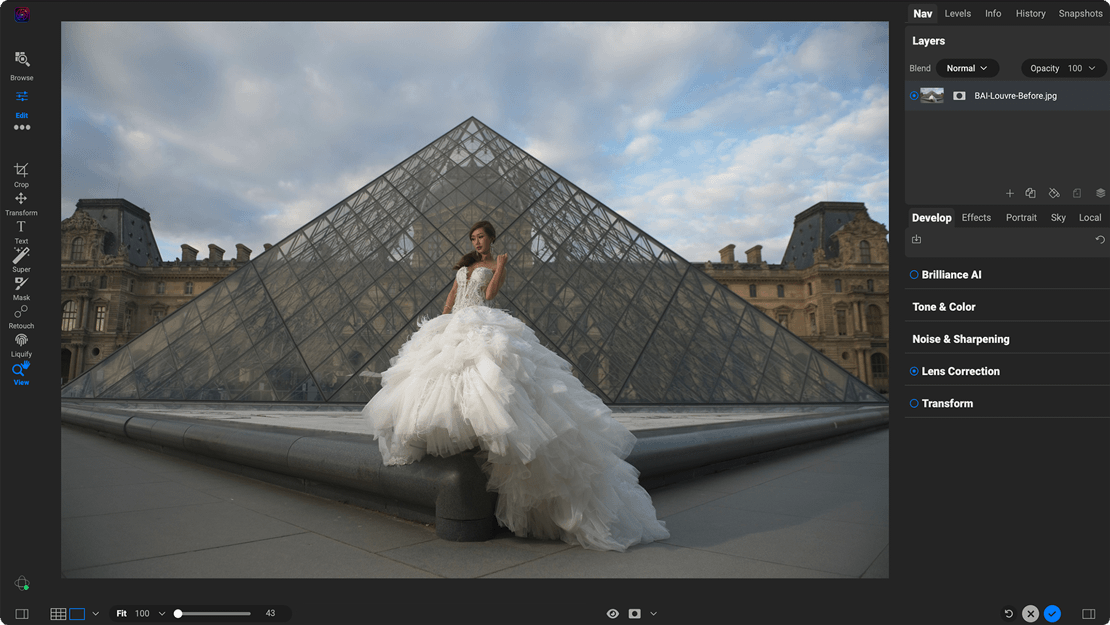
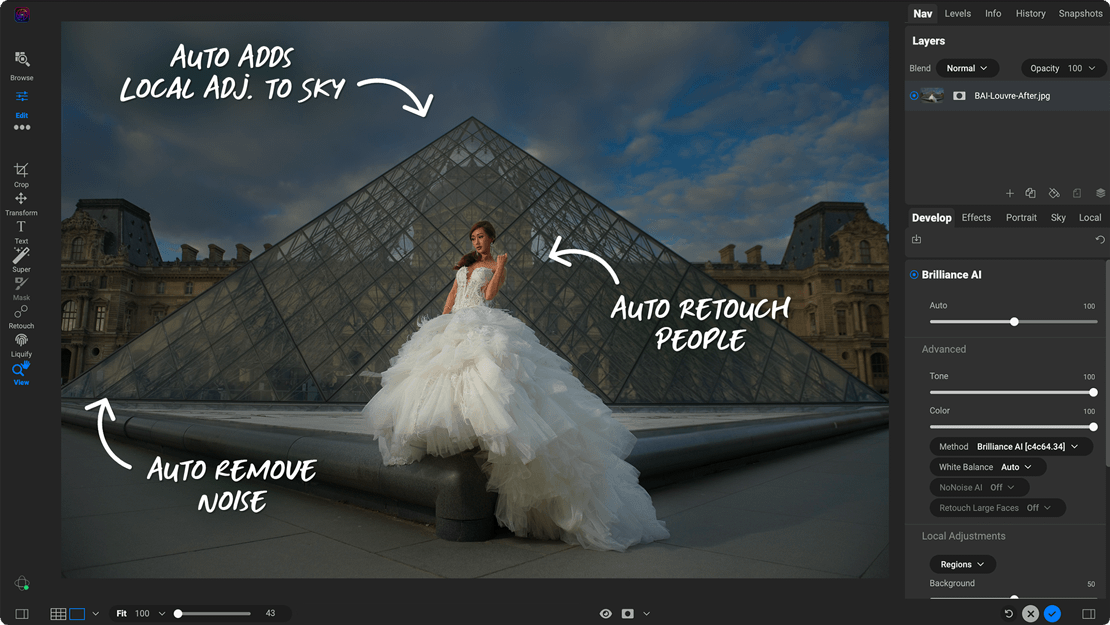
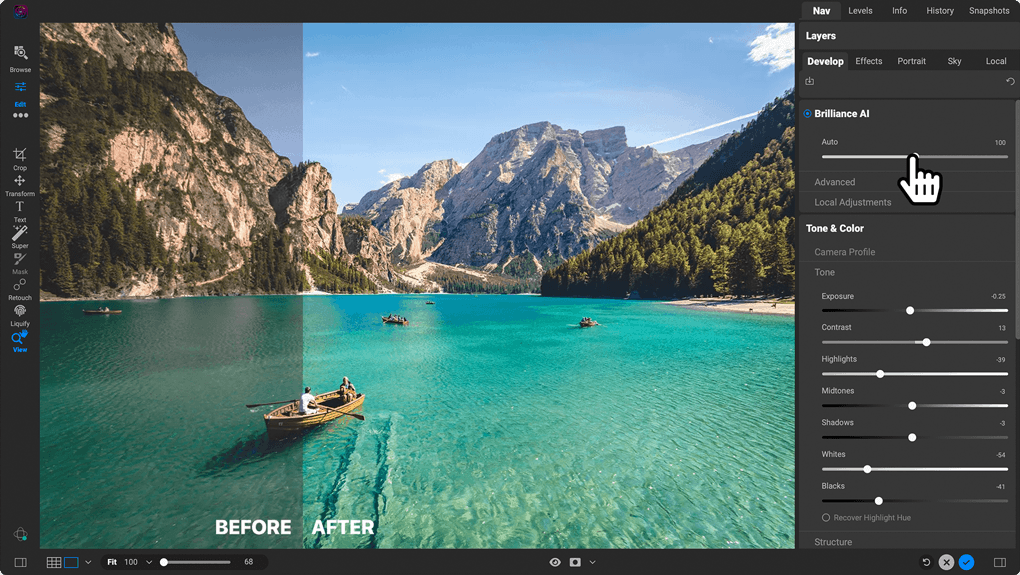
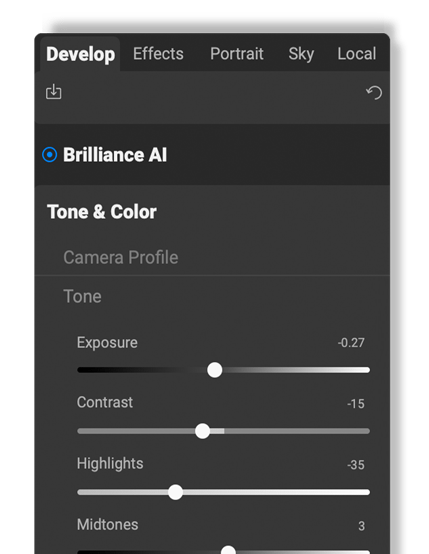
The all-new Brilliance AI is a game-changer! This tool intelligently enhances the color and tone in your unprocessed photos (and raw images) with the power of AI. You'll get incredible-looking images in a single click. But it doesn't stop there! Brilliance AI also goes a step further by automatically adding local adjustments to different parts of your photo. For example, if there's a sky, people, plants, or a background in your picture, it will make those parts look even more eye-catching!


Applying adjustments to areas in your photos is a breeze with the new Super Select AI Masking Tool.
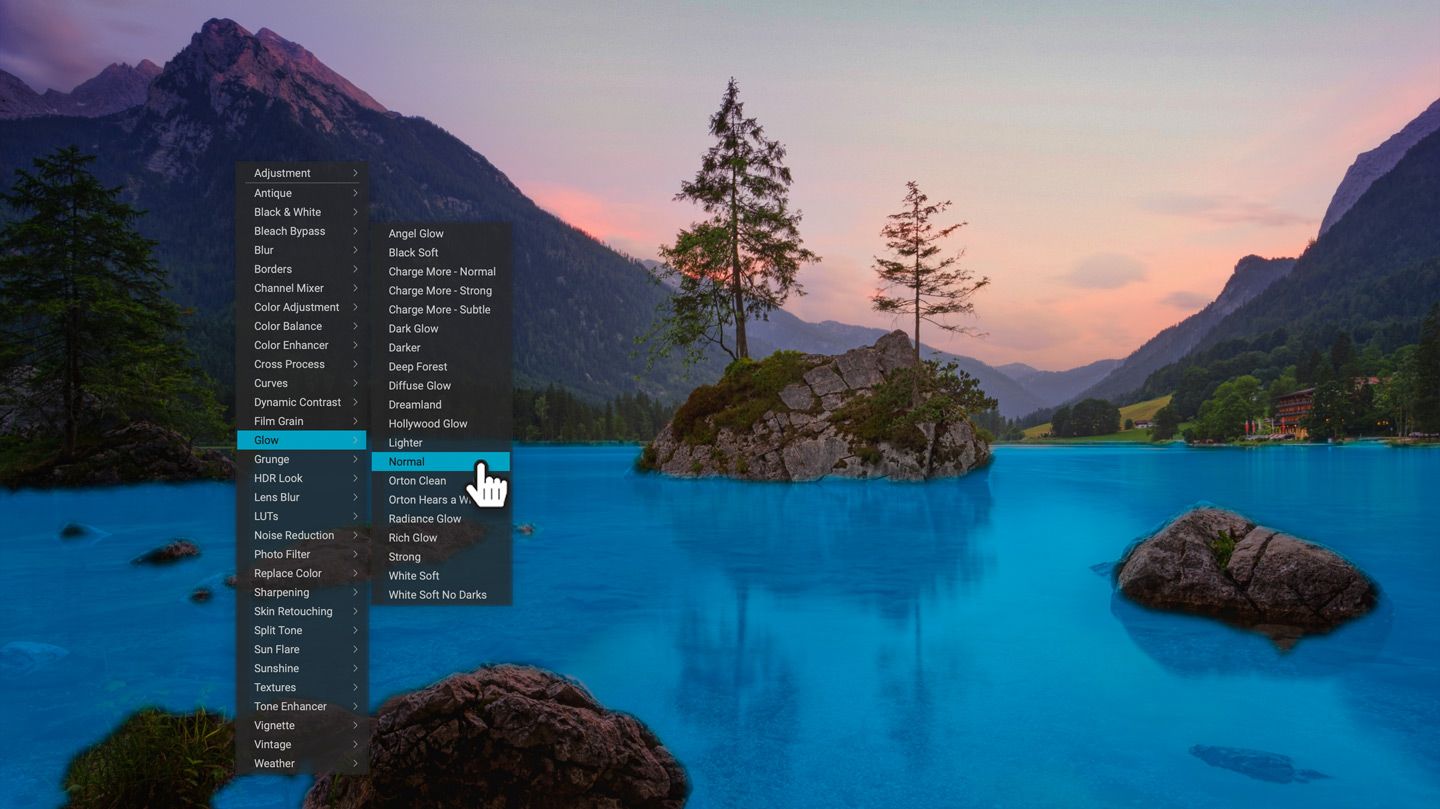
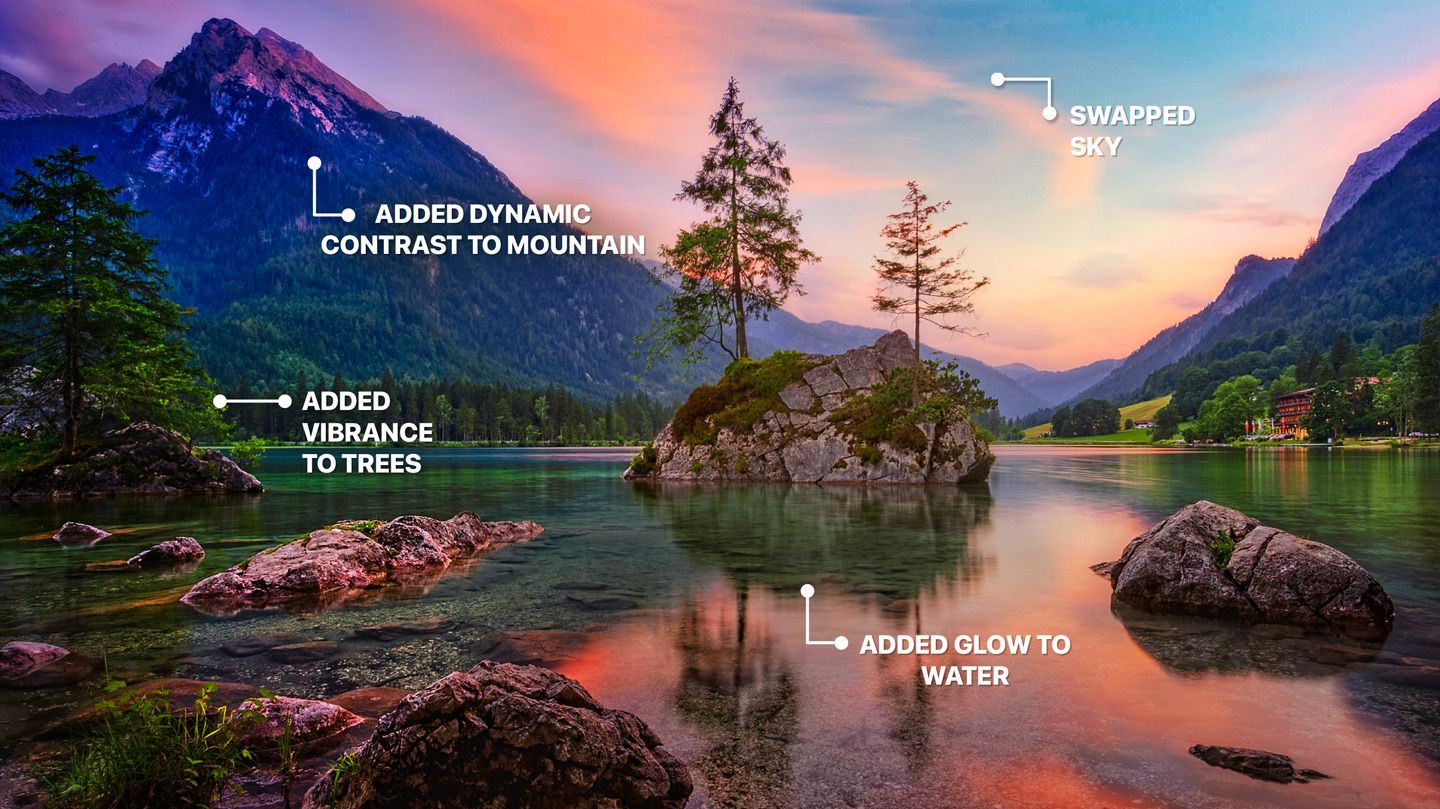
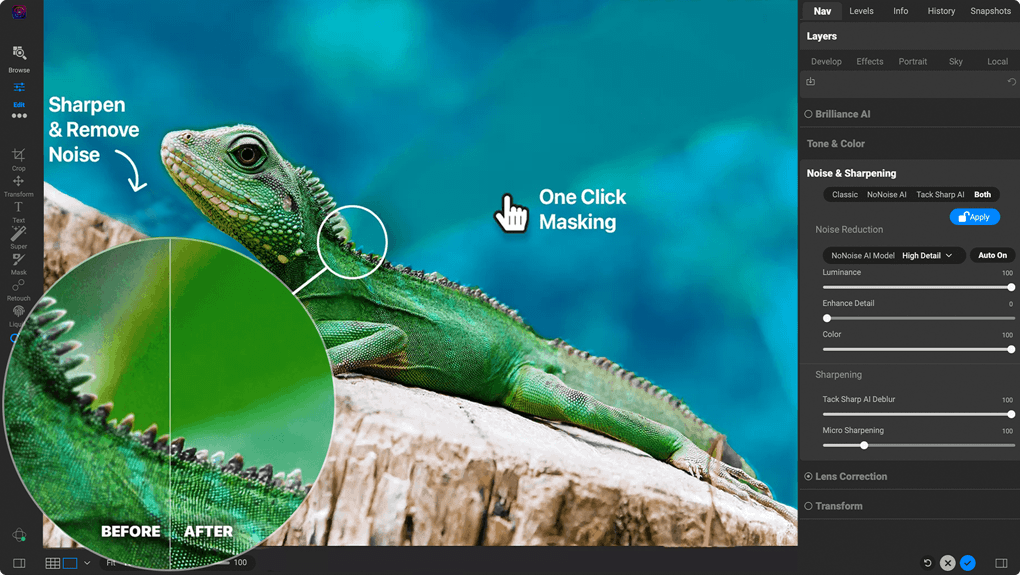
Just point and click on the areas you want to adjust and then pick an adjustment. Want the sky darker? Click-click-done. How about making the grass more green? Click-click-done. Want to blur the background? It's that simple! Our masking AI is an incredibly fast and natural way to work. It will totally change the way you interact with your photos.












Next-Level Raw Photo Editing Software
To Get the Photos You Envisioned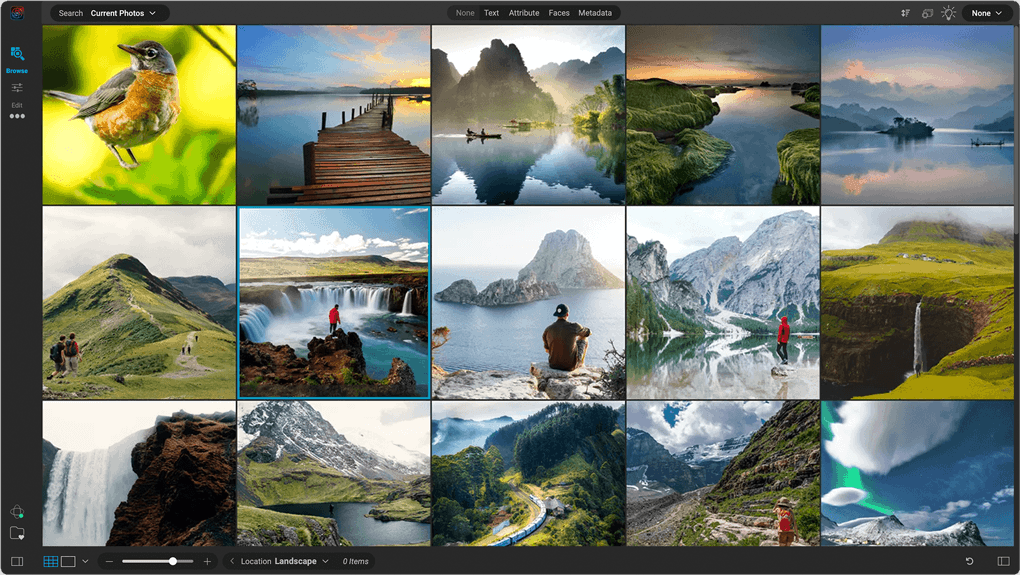
Get Your Photos Organized
It's easy to organize your photo libraries with ON1 Photo RAW. It's a modern photo organizer where you can just navigate to where your photos live like you would using a file browser, and you are off and running. It includes everything you need to keep your photo libraries in order. The new Photo Keyword AI lets you search objects, people, colors, places, etc., all automatically. Learn More About Our Photo Organizer
Fast Raw Processing
ON1 Photo RAW is a state-of-the-art raw photo processor that delivers the perfect tone and the ultimate image color and clarity while maintaining the finest details in your photos. The all-new Brilliance AI is the fastest ways to make your photos look brilliant instantly! The new color fringe reduction automatically detects the color fringe, or chromatic aberrations, and removes it. It comes with every tool photographers need to create stunning images. Learn More
AI-Powered Raw Photo Editing Software
ON1 Photo RAW includes powerful AI to assist in photo editing without taking away your creative control. Whether you're looking to mask photos quickly, swap out skies, reduce image noise, sharpen images, retouch portraits, or upscale photos, our raw photo editor does it all in one application.
Amazing Photo Effects
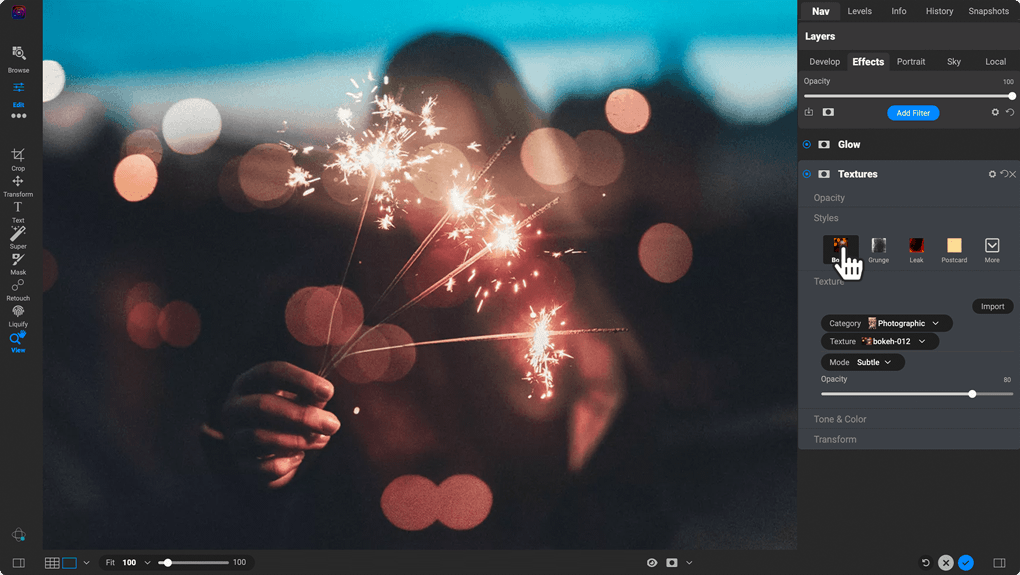
ON1 Photo RAW sets itself apart from other photo editing software applications by including an extensive library of professional photo effects. We've curated hundreds of the most popular looks and styles seen throughout the industry. The new AI-powered adaptive presets are the one-click solution to tough problems like brightening the subject, darkening the sky, or adding detail to foliage automatically. Learn More
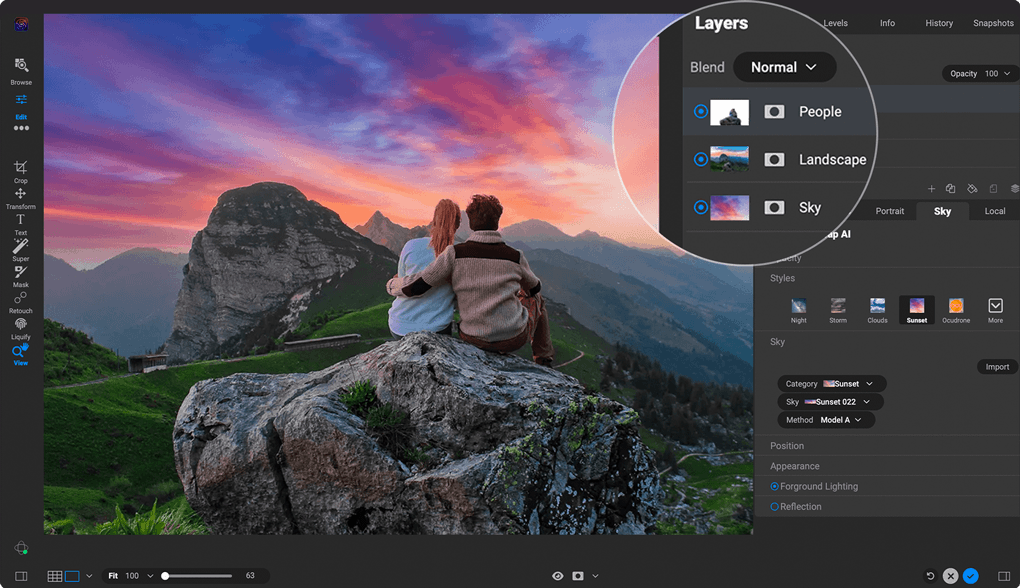
Easily Combine Photos
ON1 Photo RAW is like having Lightroom & Photoshop under one roof. It comes with the tools you need for compositing, HDR editing, hundreds of the hottest presets and filters built-in, and world-class masking tools. Learn More
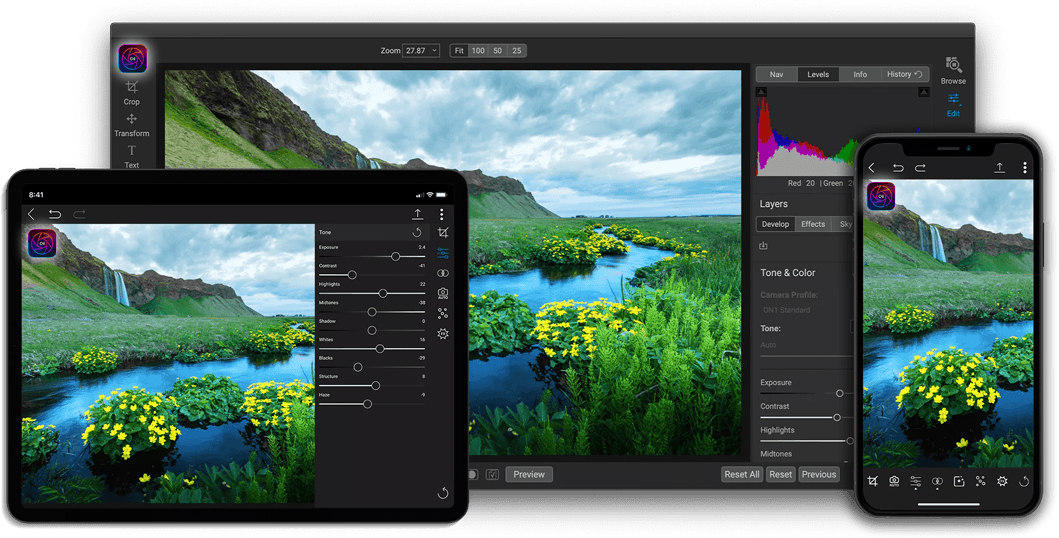
The Raw Photo Editing Solution for Desktop & Mobile
With ON1 Photo RAW for Mobile, you can capture, edit, and organize on the go. The camera captures pro-grade raw format photos with all the manual controls you need. You can edit anywhere, too; adjust color and tone using the same raw processing engine as your desktop version of Photo RAW. With an ON1 Everything Subscription plan you also get ON1 Cloud Sync which lets you send your photos and edits across your computers with ON1 Photo RAW and mobile devices with ON1 Photo RAW for Mobile.
Our raw photo editor also supports JPEG, TIF, PSD, PSB, PNG, and DNG files.
Photographers ON1
Buy Photo RAW 2024.3 Today!
ON1 customers are raving about the fast, new ON1 Photo RAW version 2024.3 just released this month! With all of our AI editing tools in one application including the new NoNoise AI 2024, Brilliance AI, Effects 2024, Mask AI, Resize AI, and much more, it's the best value in photo editing software. The MAX Edition adds the ability to use all of the features as a plugin for Adobe Ps/Lr and others.
Order today at a crazy low price and you'll also receive the ON1 Creative Bundle with over 100 bonus presets and textures along with our Deep Dive video course.

Or, subscribe now for as low as and gain access to the Photo RAW MAX Edition and all other apps and future releases. Plus, enjoy activation on up to 5 computers.
30-Day Money-Back Guarantee
Think Speed
Version 2024 will take Photo RAW's performance to new heights with enhancements that will highly impact your editing experience.
Opening Photos from Browse to Edit
3x
Faster
Cataloging Folders
5x
Faster
Switching Photos in Film Strip
3x
Faster
Updating Presets
2x
Faster
Export Speed
2x
Faster

The ON1 Guarantee
No Risk • No Questions Asked • 30-Day Money-Back Guarantee • World Class Support • Tons of Free Training Videos

Frequently Asked Questions About Our Raw Photo Editor
View FAQs & System Requirements
What are the best new features in version 2024.3?
Photo RAW 2024.3 will set new benchmarks in the world of photography by introducing many cutting-edge AI-powered features designed to empower photographers of all skill levels. You'll edit much faster and smarter, elevating your creativity to new heights!
Key new features include:
- A New Edition of Photo RAW, ON1 Photo RAW MAX 2024.3 Edition - This edition will integrate ON1 Photo RAW as a plugin for software like Adobe Photoshop, Lightroom Classic, Apple Photos, Affinity Photo, and more, allowing you to launch Photo RAW and its tools from inside other editors for a flexible workflow. MAX also includes 3 activations (instead of 2) and 200 GB of ON1 Cloud Sync storage.
- Massive Speed and Performance Upgrades
- Intelligent Color & Tone Adjustments with Brilliance AI
- Auto Apply NoNoise AI and Portrait Retouching with Brilliance AI
- Apply Local Adjustments Automatically
- Batch Adjustments with Brilliance AI
- AI Recommended Effects
- Effects Preset Collections - Over 100 New Presets
- Streamlined and Fluid User Interface
- Effortless Photo Management to Editing
- The Ultimate Highlight Recovery
- Improved Layers Pane with Enhancing Usability
- Keyword AI Enhancements
- Enhanced Searching & Cataloging
- Add Text Layers
- Auto-Embed Metadata and Paste Pixels
- Import DCP Files
What is the difference between ON1 Photo RAW MAX 2024.3 and Photo RAW 2024.3?
Both editions have the same powerful features built into a single application including Develop, Effects, NoNoise AI, Resize AI, Sky Swap AI, Portrait AI, HDR, massive speed and performance enhancements, and many new AI editing technologies like Brilliance AI.
Photo RAW MAX 2024.3 Edition adds plugin compatibility so you can launch your favorite ON1 tools from inside other editors like Adobe Ps/Lr, Affinity, Apple Photos, and others, for a more flexible workflow. (With version 2023, plugins were sold separately). Photo RAW MAX 2024.3 can be installed on up to 3 computers and also includes 1 year of ON1 Cloud Sync for syncing photos across multiple computers, tablets, and phones when used with Photo RAW Mobile. Get the MAX Edition here.
The standard edition of Photo RAW 2024.3 features the same editing tools as the MAX edition, but it's for standalone use only, with installation on up to 2 computers. (ON1 Cloud Sync is only included with the MAX edition or with a Subscription).
An upgrade option from Photo RAW 2024.3 standard to Photo RAW MAX 2024.3 edition will be available at a later date for those who wish to add plugin capability and ON1 Cloud Sync.
What are the benefits of subscribing instead of purchasing a license to own outright?
Subscribers get all of the ON1 apps, plugins, and individual titles now and in the future (including Photo RAW MAX), any new software titles, ON1 Cloud Sync storage, and other first-class benefits. The top-tier ON1 Everything Plus plan adds access to ON1 Plus, all creative extras, 1 TB Cloud Sync, and 5 activations of all software for multiple computers. The lower-tier ON1 Everything plan includes all software apps, plugins, and individual titles now and in the future, 2 software activations, and 200 GB of Cloud Sync (ON1 Plus is not included). Subscribe to ON1 Everything here.
If you purchase a license to own Photo RAW 2024.3 or Photo RAW MAX 2024.3 outright, you will receive all version 2024 software updates, but major Photo RAW upgrades (future years) are not included. The MAX edition license includes full plugin capabilities for other editors (use Photo RAW and all of its tools as plugins), 3 software activations, and 200 GB Cloud Sync storage. The standard edition is for standalone use only with 2 software activations (no plugin capability or Cloud Sync). Individual standalone apps and future titles are not included with a Photo RAW license.
How many computers can I install it on?
The number of installations depends on which package you purchase. Here are the number of activations for each option:
- ON1 Everything Plus Subscription: 5
- ON1 Everything Subscription: 2
- ON1 Photo RAW MAX 2024.3 Edition (Own): 3
- ON1 Photo RAW 2024.3 (Own): 2
When will the 2024 plugins be available?
New plugins for 2024 will be announced at a later date. The new Photo RAW MAX 2024.3 edition does include plugin capabilities for Adobe Ps/Lr and other editors for round-trip editing and a flexible workflow. MAX is available as a license to own outright or as part of an ON1 Everything subscription. Subscribers get all current and future software titles and other first-class benefits. View the comparison chart for details.
What is ON1 Cloud sync?
ON1 Cloud Sync allows you to sync your photos and settings across multiple computers, tablets, and mobile devices when used with Photo RAW for Mobile (iOS/Android). Both subscription plans include ON1 Cloud Sync (either 1 TB or 200 GB), and the Photo RAW MAX 2024.3 license includes 1-year of Cloud Sync with 200 GB storage (a $59.99 value).
If you purchase a subscription to ON1 Everything or ON1 Everything Plus, your access to ON1 Cloud Sync is ongoing. If you purchase a license to own Photo RAW MAX 2024.3 which includes 1-year of Cloud Sync, the Cloud Sync subscription will end in 1 year with no rebilling. In the future, you will have the option to upgrade to an ON1 Everything subscription, or you may choose to purchase a new Cloud Sync subscription after the 1-year term ends. When Cloud Sync expires, you will not lose any of your photos, but they can no longer be shared and synced across devices.
What is ON1 Plus? How can I get ON1 Plus with my order today?
ON1 Plus is our popular membership community with a massive library of ON1 courses, videos, and special events, with new content delivered every month. Members get unlimited access to our Creative Library to download hundreds of creative extras, and they receive bonus Loyalty Rewards each month. Other first-class benefits include priority support, forums to connect with other ON1 users, tips and tricks videos, Live events, and more.
The most cost-effective way to get ON1 Plus is to subscribe to ON1 Everything Plus which includes all the ON1 apps and plugins, all future software releases, access to ON1 Plus, 1 TB of Cloud Sync storage, and 5 software activations. If you want to order a non-subscription license for Photo RAW 2024.3, Photo RAW MAX 2024.3, or the lower-tier ON1 Everything subscription plan which does not include ON1 Plus, you can add 1-year of ON1 Plus in your cart during checkout or purchase ON1 Plus separately.
Am I eligible for upgrade pricing?
If you have purchased an ON1 product in the past, you are eligible for upgrade pricing on a license to own Photo RAW 2024.3 or Photo RAW MAX 2024.3.
I don't know what products or subscriptions I currently own. How can I find out?
Go to products or subscriptions in your account to see what you have.
What if I'm not satisfied with ON1 Photo RAW 2024.3? Can I get a refund?
We think you're going to love it. But if you don't, contact us within 30 days of receiving Photo RAW 2024.3 or Photo RAW MAX 2024.3 to get a full refund.
What are the system requirements for Photo RAW 2024.3?
| Operating System | macOS 11 and above Windows 10, 11 (current maintenance releases, 64 bit only) | |
| Processor | Four-Core Intel or AMD processor with 64-bit support; 2 GHz or faster processor with SSE 4.2 or later or Apple Silicon | |
| RAM | 8 GB (16 GB if shared with the GPU) | |
| Hard Drive | 6 GB for installation | |
| Graphics | Windows - DirectX 12, DirectML, Vulkan 1.1, and OpenGL 4.2 compatible video card with 4GB VRAM, 1920x1080 resolution (at 100% scale factor) macOS - Metal, Vulkan 1.1, and OpenGL 4.2 compatible video card with 4GB VRAM, 1920x1080 resolution (at 100% scale factor) | |
| Optional Integration (Photo RAW MAX only) | Photoshop CC Photoshop Elements 2020 and above Photoshop Lightroom Classic Apple Photos Affinity Photo Corel Paint Shop Pro Capture One (current versions for all) | |
| Mobile App | Apple iPhone or iPad with iOS 15 or higher Android phone or tablet with 64-bit Android 10 or higher(current maintenance releases, 64 bit only) | |
| Internet | A high-speed internet connection and active account for ON1 Cloud Sync, activation, auto-update checking, content downloads, and tutorials. | |
| Supported Options | Supports pressure-sensitive tablets for controlling brush size and/or opacity Supports ICC/ICM profiles for camera input, display, soft-proofing, and printing. Hardware display calibration tool is recommended | |
| Supported Languages | English, German, Spanish, French, Japanese, Korean, Simplified Chinese, Russian, Portuguese, Italian, Dutch | |
Does Photo RAW 2024.3 include ON1 NoNoise AI?
Yes, all the ON1 apps are fully integrated, and the new NoNoise AI 2024 features are also included in Photo RAW 2024.3 and Photo RAW MAX 2024.3.
Start Using Our Raw Photo Editor Today
Unlock the full potential of your raw photos with ON1's raw photo editor. Don't settle for mediocre edits when you can have complete control over your images. Experience the intuitive interface, powerful features, and non-destructive editing workflow that ON1 offers for yourself. Take the leap and buy ON1 Photo RAW today and witness the remarkable difference it makes in your editing workflow and final results. Your photographs deserve the best, and ON1 delivers exactly that.
Buy Now


